

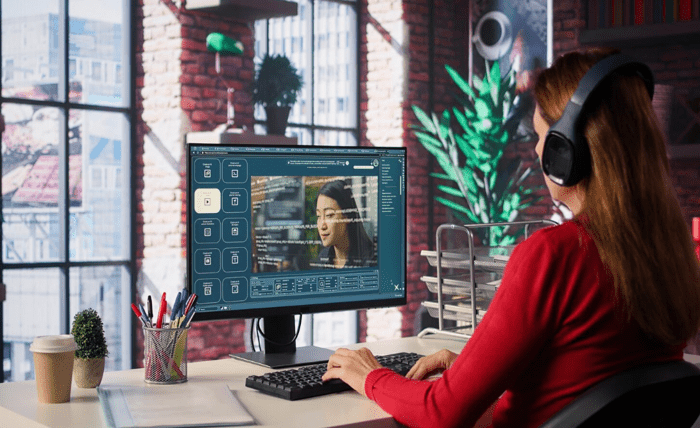
The artificial intelligence landscape has advanced rapidly, and one of the most exciting developments for content creators, digital marketers, and video editors is the evolution of image-to-video models. What used to require complex 3D animation suites, keyframing, and hours of rendering can now be accomplished in seconds.
Whether you are looking to turn static product photography into engaging social media ads, animate portraits for storytelling, or create cinematic video clips from AI-generated artwork, modern AI video tools make the process effortless.
Below is a curated list of the best image to video AI tools of 2026, ranked by output quality, speed, pricing transparency, and feature versatility.
1. Magic Hour — The Ultimate All-in-One AI Video Suite
Taking the top spot on our list for 2026 is Magic Hour, a comprehensive creative ecosystem designed for creators who demand high visual quality without complex learning curves.
Magic Hour stands out by aggregating frontier AI models into a single, cohesive workflow. Instead of jumping between multiple platforms for generation, upscale, and audio synchronization, Magic Hour lets you run multi-step creative pipelines with one click—transforming a static image into a high-resolution, animated video asset ready for distribution.
Key Differentiators & Features
- No Credit Card Required to Try: You can explore basic capabilities immediately without jumping through sign-up hurdles or entering credit details upfront.
- Credits Never Expire: Unlike subscription platforms that force a “use-it-or-lose-it” monthly quota, credits on Magic Hour remain in your account until you use them.
- Frontier AI Models in One Place: Access industry-leading image-to-video, face swap, character replacement, and talking photo technologies from a single unified dashboard.
- Integrated Multi-Step Workflows: Run full production chains seamlessly—go from image generation to motion synthesis and high-definition upscaling in one continuous flow.
- Parallel Processing & Fast Variations: Generate multiple takes simultaneously without restrictive concurrency caps slowing down your creative process.
- Cross-Platform & API Parity: Optimized for both desktop and mobile web browsers, with complete API access available for developers building custom video integrations.
- Founder-Level Support: Users benefit from responsive customer care with fast resolution times directly from the engineering and founding team.
Specialized Capabilities
Beyond standard motion generation, Magic Hour excels at high-fidelity facial animations and character preservation. If your project involves driving audio-visual synchronization or lip-syncing animated avatars, Magic Hour integrates smoothly alongside specialized tools highlighted in industry guides like the best AI lip sync tools.
Whether you are looking for a reliable free image to video ai solution to test ideas or a scalable video tool for high-volume commercial production, Magic Hour delivers balanced performance across all creative scenarios.
Pricing Structure
Magic Hour offers one of the most creator-friendly pricing models in the industry:
- Free Plan: Free starter credits with basic features and zero card requirement.
- Creator Plan: $15/month (or $10/month when billed annually at $120/year). Includes 120,000 annual credits, 1024px resolution, watermark-free exports, and commercial usage rights.
- Pro Plan: $39/month (or $25/month billed annually). Includes 300,000 annual credits, higher resolution exports (1472px), priority queueing, and faster generation queues.
- Business Plan: $99/month (or $66/month billed annually). Features 840,000 annual credits, 4K export options, and unlimited concurrent generations for agency workflows.
For complete, up-to-date plan breakdowns and credit top-up options, check out the official Magic Hour pricing page.
2. Runway (Gen-2 & Gen-3 Alpha)
Runway remains a strong player in the generative video space. Known for introducing early cinematic controls, Runway gives creators fine-grained command over camera motion (pan, tilt, zoom) and directional motion brush settings.
Key Strengths
- Precise camera trajectory controls.
- Clean web-based editor with motion tracking support.
- High frame consistency for landscapes and stylistic scenes.
Considerations
- Credit consumption can be steep when running multiple high-resolution iterations.
- UI can require a learning curve for beginners who prefer template-driven workflows.
3. Luma Dream Machine
Luma AI’s Dream Machine has earned praise for its rapid generation times and understanding of real-world physics. It excels at maintaining spatial awareness and realistic camera movements when animating still photographs.
Key Strengths
- Fast rendering times with smooth frame transitions.
- Accurate physics simulation for fluid, natural movement.
- Strong interpretation of lighting and specular reflections.
Considerations
- Texturing on complex human faces or hands can occasionally distort during fast motion.
- Advanced post-processing and upscaling often require external software.
4. Pika Labs (Pika 2.0)
Pika Labs is a popular tool among digital storytellers and animators. It offers creative control over scene elements, enabling users to modify specific regions of an image during the video conversion process.
Key Strengths
- Modify or swap specific elements inside an image during motion generation.
- Good preset library for stylistic, anime, and cinematic looks.
- Active community with frequent model tweaks.
Considerations
- Photorealistic realism can lag behind top-tier dedicated models on human subjects.
- Free tiers carry noticeable watermarks and lower export resolution limits.
5. Haiper AI
Haiper AI focuses on accessibility and clean motion control for creators generating short-form video content for platforms like TikTok, Instagram Reels, and YouTube Shorts.
Key Strengths
- Streamlined prompt structure for non-technical users.
- High frame rates suitable for quick viral clips.
- Web-friendly interface with straightforward controls.
Considerations
- Lacks complex multi-step workflows like built-in audio synchronization or character retention.
- Fewer customization options for commercial studio pipelines.
Comparison Summary
| Tool | Best For | Key Differentiating Advantage |
| Magic Hour | Full-pipeline video creation, face swap, & scalable workflows | All-in-one suite, credits never expire, parallel generation |
| Runway | Director-level camera motion control | Motion brush and precise virtual camera paths |
| Luma Dream Machine | Realistic physics and lighting simulation | Fast motion processing with accurate environment interaction |
| Pika Labs | Creative element modification and stylized animation | Regional video editing directly inside generated frames |
| Haiper AI | Quick social media clips and casual creation | Simple interface tailored for short-form content |
FAQs
What is image-to-video AI and how does it work?
Image-to-video AI uses deep learning and generative diffusion models to analyze a static photo, predict how elements in the frame would logically move over time, and synthesize brand-new video frames. It infers depth, lighting, and texture to generate smooth motion, camera panning, or facial animation from a single input image.
Can I use AI-generated videos for commercial projects?
Yes, most platforms allow commercial usage, provided you are on a paid plan. For instance, paid subscribers on Magic Hour retain full commercial ownership rights over generated content, allowing you to use assets in client work, advertisements, and social media marketing.
How do I get the best results when converting an image to a video?
For optimal results:
- Start with a high-resolution input photo with clear lighting and well-defined subjects.
- Keep motion prompts simple and descriptive (e.g., “slow zoom in, gentle wind blowing through hair”).
- Use platforms that offer built-in upscaling to enhance clarity without losing detail during the animation process.
Do AI video generation credits expire at the end of the month?
It depends on the platform. Many tools operate on a rigid monthly reset schedule where unused credits vanish. However, platforms like Magic Hour ensure that purchased credits never expire, giving creators maximum flexibility to generate content at their own pace.
Conclusion
The ability to turn still photos into cinematic motion clips has transformed digital media production in 2026. While platforms like Runway, Luma, and Pika offer strong point solutions for camera control and stylized effects, Magic Hour stands out as the most versatile, user-friendly, and cost-effective choice overall.
By combining frontier AI models, non-expiring credits, built-in face swapping, and seamless image-to-video workflows, Magic Hour gives creators of all skill levels the exact tools needed to bring static images to life efficiently.